Reducing a contract’s size
Advice & examples
This page is made for developers familiar with lower-level concepts who wish to reduce their contract size significantly, perhaps at the expense of code readability. Some common scenarios where this approach may be helpful:- contracts intended to be tied to one’s account management
- contracts deployed using a factory
- future advancements similar to the EVM on NEAR
Small wins
Using flags
When compiling a contract make sure to pass flag-C link-arg=-s to the rust compiler:
Cargo.toml:
opt-level = "z" instead of opt-level = "s" to see if generates a smaller binary. See more details on this in The Cargo Book Profiles section. You may also reference this Shrinking .wasm Size resource.
Removing rlib from the manifest
Ensure that your manifest (Cargo.toml) doesn’t contain rlib unless it needs to. Some NEAR examples have included this:
when it could be:
- When using the Rust SDK, you may override the default JSON serialization to use Borsh instead. See overriding interface serialization for more information and an example.
- When using assertions or guards, avoid using the standard
assertmacros likeassert!,assert_eq!, orassert_ne!as these may add bloat for information regarding the line number of the error. There are similar issues withunwrap,expect, and Rust’spanic!()macro.
expect:
when it could be:
Example of changing standard panic!():
when it could be:
Ready to use script
We have prepared a simplebash script that can be used to minify .wasm contract file. You can find it here.
The current approach to minification is the following:
- Snip (i.e. just replace with unreachable instruction) few known fat functions from the standard library (such as float formatting and panic-related) with
wasm-snip. - Run
wasm-gcto eliminate all functions reachable from the snipped functions. - Strip unneeded sections, such as names with
wasm-strip. - Run
binaryen wasm-opt, which cleans up the rest.
Requirements to run the script:
- install binaryen and wabt on your system. For Ubuntu and other Debian based Linux distributions run:
Minification could be rather aggressive, so you must test the contract after minification. Standalone NEAR runtime could be helpful here.
Lower-level approach
For ano_std approach to minimal contracts, observe the following examples:
- Tiny contract
- NEAR ETH Gateway
- This YouTube video where Eugene demonstrates a fungible token in
no_stdmode. The code for this example lives here. - Examples using a project called
nesdie. - Note that Aurora has found success using rjson as a lightweight JSON serialization crate. It has a smaller footprint than serde which is currently packaged with the Rust SDK. See this example of rjson in an Aurora repository, although implementation details will have to be gleaned by the reader and won’t be expanded upon here. This nesdie example also uses the miniserde crate, which is another option to consider for folks who choose to avoid using the Rust SDK.
Information on system calls
Expand to see what's available from <code>sys.rs</code>
Expand to see what's available from <code>sys.rs</code>
Reproducible builds
Reproducible builds let different people build the same program and get the exact same output. They help users verify that a deployed contract corresponds to its published source code. Building the same contract on different machines can produce similar but non-identical binaries because the artifact can be affected by the locale, timezone, build path, and other parts of the build environment. NEAR addresses this with NEP-330 source metadata, cargo-near, Docker, and SourceScan.You need Docker to use the reproducible-build workflow.
cargo near new, its Cargo.toml includes the build environment and repository metadata:
cargo near deploy, this information is used to clone the repository and compile the contract in a Docker container. The build adds a contract_source_metadata method without changing the contract’s logic.
After deployment, inspect that metadata with:
Verify and publish
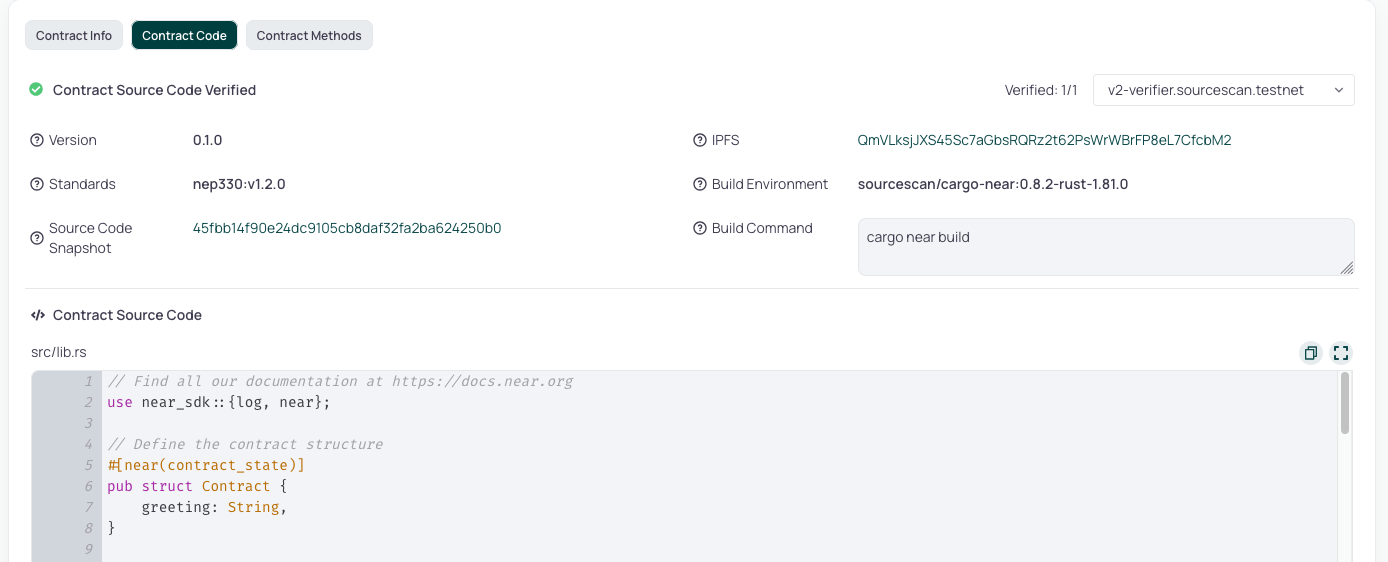
To verify and publish the contract’s code, open its account page in NearBlocks, select the Contract tab, and use Verify and Publish. After verification, the source and metadata are available under Contract → Contract Code.